
How To Place An Order
Regardless of the device they use, we strive every day to make it as easy and quick as possible for our customers to place orders. You may find a detailed order placement guidance below.
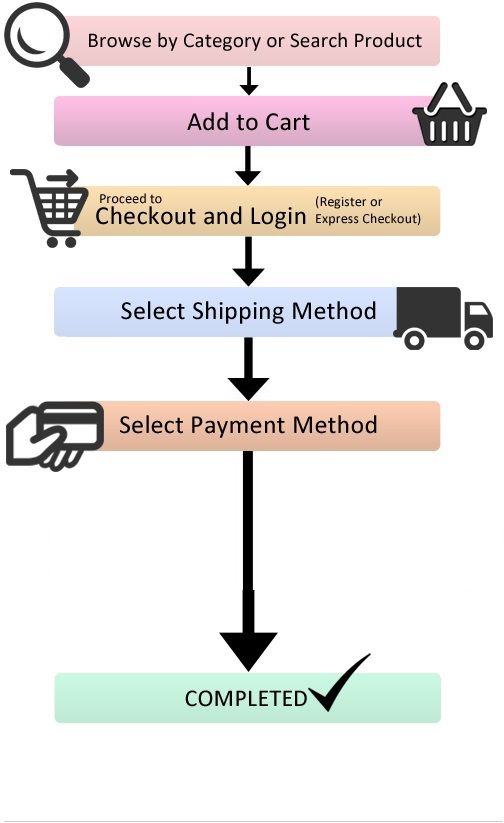
1. Finding the item you want to buy is the first step. You can either type the product you’re looking for into the search bar located in the upper left corner of the store page or browse the numerous products that appear when you click or tap the shop page.
2. Next, select the number of the product you wish to order (e.g., 1 kit, 2 kits, 5 kits, etc.) and add it to your basket (Cart). Then, scroll down and select “Proceed To Checkout.”
3. Your billing address will now need to be entered on the checkout page.
4. After entering your billing and/or postal addresses, click the “Place Order” button in the lower right corner of the site after selecting your desired payment method (we only accept anonymous payment methods like cryptocurrency).
5. You will be taken to Plisio after placing your order, where you may choose the cryptocurrency to use for payment. To cover the entire cost of your order, provide the corresponding amount. You will receive a payment confirmation after your order has been successfully submitted. Please be aware that payment must be received before the order can be dispatched.